Show Me This Static Grasp
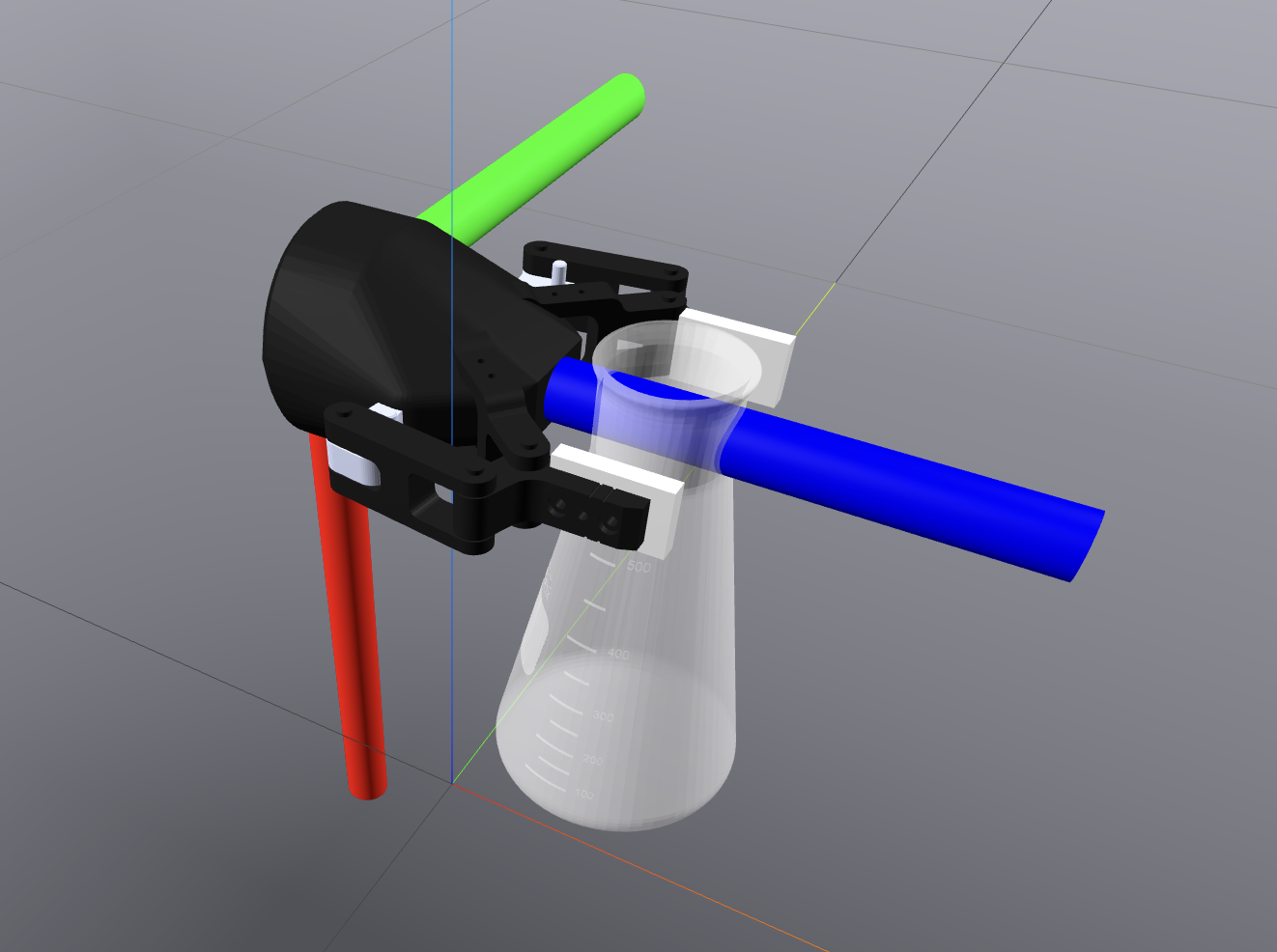
Want to see what a grasp would look like when “frozen” in time?
Use this
Production
to easily “show” a gripper with a given pose w.r.t. an object that you would like to grasp!
Introduction
Grasping algorithms can be difficult to debug.
These algorithms normally are used in combination with motion planners and control algorithms that will position an arm in place before attempting a grasp and, so, it can often be hard to debug just your grasping algorithm.
This Production was meant to help with this mission!
We created ShowMeThisStaticGrasp
so that you can easily see what your ideal grasp looks like for a specific object.
Simply give your object model, your gripper model and (optionally) data like the pose of the gripper with respect to the object and we will immediately show you what the grasp looks like in the 3D viewer without having to get any other algorithms/systems involved.
Example Usage
You can view multiple examples for this Production object in our
examples/productions/helpful_for_debugging/grasping/demonstrate_static_grasp directory.
In this section, we will include one smaller example that has been visualized above.
from importlib import resources as impresources
import ipdb
import numpy as np
from pydrake.all import (
    Simulator,
    RollPitchYaw, RigidTransform,
)
import typer

# Internal Imports
from brom_drake.all import drakeify_my_urdf
from brom_drake import robots
from brom_drake.productions import (
    ShowMeThisStaticGrasp,
)

def main(meshcat_port_number: int = 7001):
    """
    Description
    -----------
    This test verifies how we can use the add_cast_and_build method
    to build a DemonstrateStaticGrasp production.
    """
    # Setup

    # Create erlenmeyer flask urdf
    erlenmeyer_flask_file = str(
        impresources.files(robots) / "models/erlenmeyer_flask/500ml.urdf"
    )

    drakeified_flask_urdf = drakeify_my_urdf(
        erlenmeyer_flask_file,
        overwrite_old_logs=True,
        log_file_name="DemonstrateStaticGripTest_AddManipulandToPlant_flask.log",
    )

    # Create the gripper urdf
    gripper_urdf = str(
        impresources.files(robots) / "models/robotiq/2f_85_gripper-no-mimic/urdf/robotiq_2f_85.urdf"
    )

    X_ObjectTarget = RigidTransform(
        p=np.array([-0.08, 0.05, 0.15]),
        rpy=RollPitchYaw(0.0, np.pi/2.0, 0.0),
    )


    # Create the production
    production = ShowMeThisStaticGrasp(
        path_to_object=str(drakeified_flask_urdf),
        path_to_gripper=gripper_urdf,
        meshcat_port_number=meshcat_port_number, # Use None for CI
        X_ObjectTarget=X_ObjectTarget,
    )

    # Call the method
    diagram, diagram_context = production.add_cast_and_build()

    # Set up simulation
    simulator = Simulator(diagram, diagram_context)
    simulator.set_target_realtime_rate(1.0)
    simulator.set_publish_every_time_step(False)
    simulator.Initialize()
    simulator.AdvanceTo(10.0)

if __name__ == "__main__":
    main()
The result of this script will be the simulation shown at the start of this page.
Modifying the Gripper’s Visual Geometries
By default, the gripper’s visual geometries will be shown in the simulation.
However, you can also choose to show the collision geometries instead by passing in the argument
gripper_color.
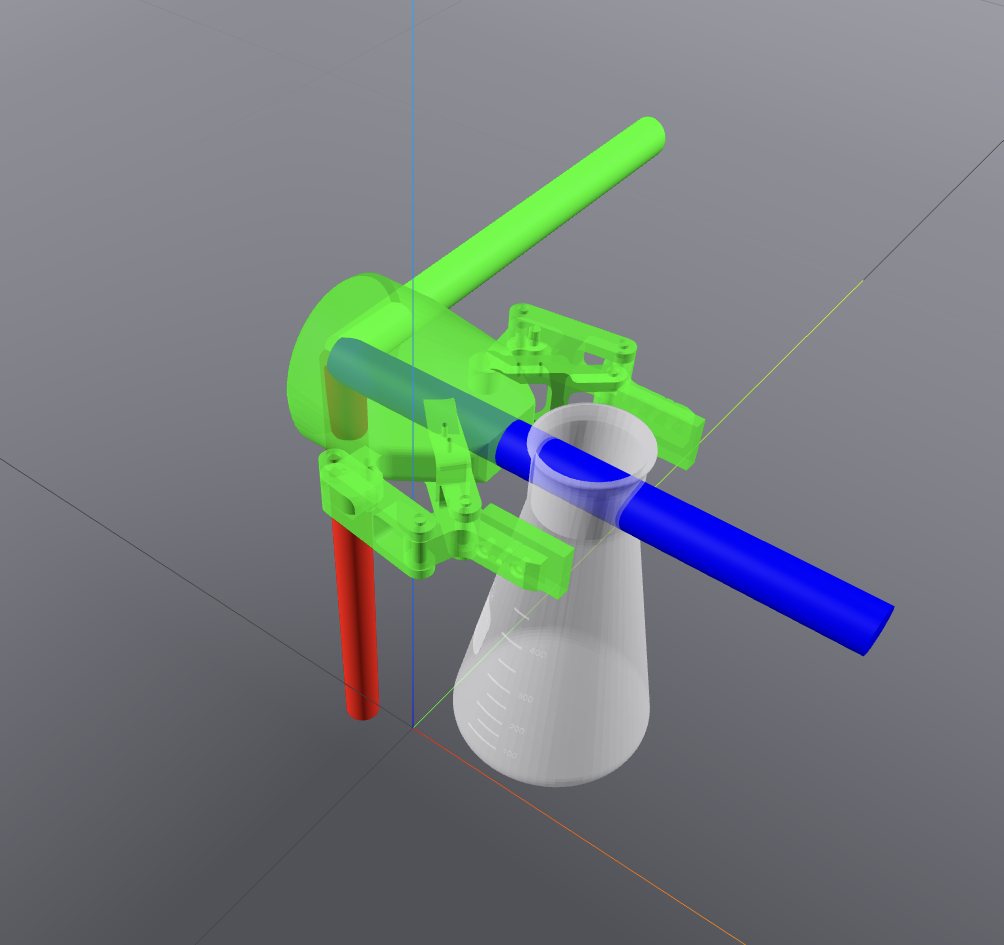
For example, we can change the color of the gripper to be green and semi-transparent with the following code:
# Create the config for the production
config = ShowMeThisStaticGraspConfiguration()
config.meshcat_port_number = meshcat_port_number
config.gripper_color = [0.0, 1.0, 0.0, 0.6] # Green

# Create production
production = ShowMeThisStaticGrasp(
    path_to_object=str(drakeified_flask_urdf),
    path_to_gripper=gripper_urdf,
    X_ObjectGripper=X_ObjectTarget,
    config=config
)
The result of this script will be the following simulation: