Kinematic Motion Planning
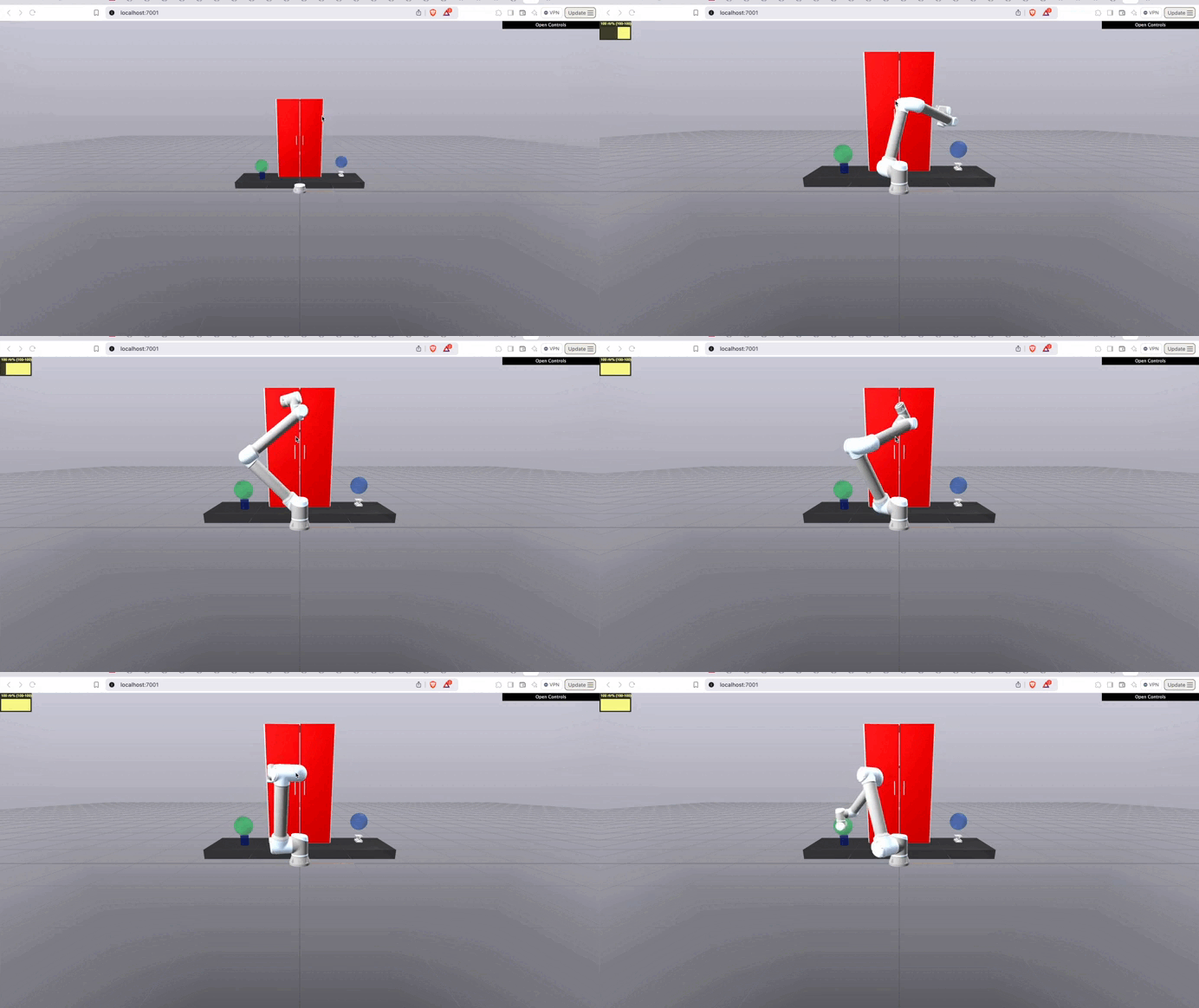
Summary
Brom contains several KinematicMotionPlanningProduction Productions.
For each of these Productions, you can provide your favorite motion planning algorithm and the scene will automatically include your algorithm into the Production and simulate how that algorithm would perform in the scenario.
Example Usage
Consider the following example:
# Create the production
production = ChemLab1()

# Create a planner object which will be used to plan the motion
config = RRTConnectPlannerConfig(
    steering_step_size=0.1,
    prob_sample_goal=0.30,
    max_iterations=int(1e4),
    convergence_threshold=1e-3,
)
planner2 = RRTConnectPlanner(
    production.arm,
    production.plant,
    production.scene_graph,
    config=config,
)

# To build the production, we only need to provide a planning function
# (can come from anywhere, not just a RRTConnectPlanner object)
diagram, diagram_context = production.easy_cast_and_build(
    planner2.plan,
    with_watcher=True,
)

print("Simulating...")

# Simulate the diagram
simulator = Simulator(diagram, diagram_context)
simulator.set_target_realtime_rate(1.0)

# Run simulation
simulator.Initialize()
simulator.AdvanceTo(0.1)
planned_trajectory = production.plan_dispenser.planned_trajectory
print(f"Expected end time of trajectory: {planned_trajectory.end_time()}")

# return
simulator.AdvanceTo(planned_trajectory.end_time()+1.0)
This is all that is needed to build and then run our motion planning algorithm (that is planner2.plan)
in the scene depicted in the .gif above. For the most part, you can swap in ANY of the Production s that are built on top of the
KinematicMotionPlanningProduction class in this way.
Feel free to play around with more examples in the examples/motion_planning/offline/chem_lab1 directory to get a better sense of how they work!
How It Works
In this section, we will first describe how a user should interact with the production (i.e., how you should work with each production). Then, we will describe what is happening internally with each production.
How should I use each KinematicMotionPlanning Production?
The recommended method for using the motion planning Productions is to instantiate the Production and then insert your algorithm using the easy_cast_and_build method.
For example:
production = ShelfPlanning1()

# Define your other stuff here...

# To build the production, we only need to provide a planning function
diagram, diagram_context = production.easy_cast_and_build(
    plan_function,
    with_watcher=True,
)
The plan_function value is a function that:
- Receives as input
q_start: An initial joint configuration from which the plan must start,
q_goal: The goal joint configuration from which the robot must go, and
collision_checking_algorithm: The collision checking algorithm will be used as follows collision_checking_algorithm(q)=in_collision_or_not. It returns a boolean which describes whether or not a given configuration is in collision with the environment.
- Returns as output:
plan: A
networkx.Digraphor numpy array (coming soon!) describing the sequence of configurations that will reach from start to goal.found_path: A boolean describing whether or not a path was found between the two configurations.
You can make the plan_function using any library you want. It doesn’t need to be made using drake components at all, if you don’t want it to be.